Author: Wayne Hedlund

  • Thursday Quote: Crucial Confrontations

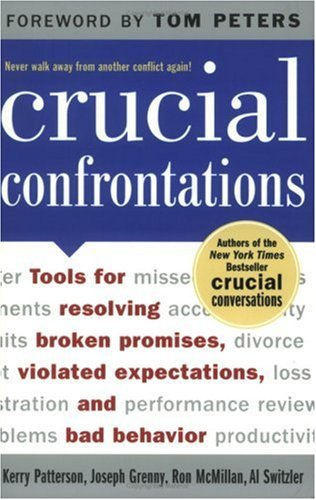
    Today, I’m quoting from the book, Crucial Confrontations: Tools for Resolving broken promises, violated expectations, and bad behavior, by Patterson, Grenny, McMillan, & Switzler. If you ever or even occasionally find yourself in the scenario of having to confront someone – I highly recommend this book.

     Think CPR

    “The first time a problem comes up, talk about the Content, what just happened: ‘You drank too much at the luncheon, became inebriated, started talking too loud, made fun of our clients, and embarrassed the company.’ The content of a problem typically deals with a single event – the here and now.

    The next time the problem occurs, talk Pattern, what has been happening over time: ‘This is the second time this has occurred. You agreed it wouldn’t happen again, and I’m concerned that I can’t count on you to keep a promise.’ Pattern issues acknowledge that problems have histories and that histories make a difference. Frequent and continued violations affect the other person’s predictability and eventually harm respect and trust….

     As the problem continues, talk about Relationship, what’s happening to us. Relationship concerns are far bigger than either the content or the pattern. The issue is not that other people have disappointed you repeatedly; it’s that the string of disappointments has caused you to lose trust in them: You doubt their competency, you don’t respect or trust their promises, and this is affecting the way you treat one another: ‘This is starting to put a strain on how we work together. I feel like I have to nag you to keep you in line, and I don’t like doing that. I guess my fear is that I can’t trust you to keep the agreements you make.’”

    To learn more about this book or order it through my Amazon Affiliate’s bookstore, click this link.

  • Top Posts of February 2012

    Here are the most viewed posts on Transforming Leader in February.

    1. The Four C’s
      An exploration in four criteria necessary when hiring or recruiting leaders into positions of influence.

    2. Sunday Morning Announcements
      Includes some great ideas to make morning announcements more effective as well as som great video announcement examples from EGC.

    3. Ten Church Systems: The Assimilation System
      Part of ‘The Ten Church Systems‘ series focusing on building a ‘guest friendly’ environment that will draw guests back to your church.

    4. Build Momentum & Create Unity With A Blog
      Encouraging church leaders to build a blog for the congregation, volunteers and/or leaders.

    5. Andy Stanley’s Podcast (for the non-tech Christian leader)
      How to get access to some of the best leadership teaching available for free.

    6. Leaders are Readers
      Tips on getting a lot of reading done, even if you aren’t an avid reader.

    7. Bad Website Design
      A simple infographic describing 8 reasons people might leave your website.

    8. This is Church! (video)
      An amazing (and free) video clip that describes what ‘the church’ really is all about.

    9. Where Should Church Volunteers Park?
      Is your parking lot guest friendly? One way to tell is to see where your leaders and volunteers park.

    10. Guest Friendly Greeting
      Four key principles for greeting guests every week as they arrive at your Weekend service.

    I am also very proud to announce the release of my first eBook this month. It’s entitled “Thinking For A Change: a fresh look at critical thinking“. I am selling it for $3.99. Please consider getting yourself a copy. So far, I’ve received great reviews from my readers.

    Image from seruvenci at istockphoto.com.

  • Giving Guests the VIP Treatment at Elevation Church

    I ran across this post at www.timschraeder.com that I just have to share. Evidently, Tim showed up at Elevation Church, with Pastor Steven Furtick, and had an outstanding experience. He called it his ‘VIP Experience at Elevation Church’. I know Elevation boasts a huge staff, lots of money, and an amazing facility. So do a lot of mega-churches. However, what Elevation gave Tim was much more than a ‘big church experience’. They expressed a very high level of excellence, mixed with awesome systems and an intentional ‘guest friendly‘ culture.

    You can do that at your church too. It may not look like, sound like, or smell like this; but I’m pretty sure it can feel like it. Take this article to your version of a ‘First Impressions Committee’ and hold a strategic session about what you can learn from it. Enjoy.

  • Tumblr vs. Blogger


    This is a guest post by Josh Cummings. Josh serves as the Technical Director at Elim Gospel Church in Lima, NY. Josh is passionate about all things audio & visual. His world includes wires, cables, buttons, knobs, computers, software, lights, speakers and a million other odd and weird knick-knacks. He is, by far, the coolest tech-dude I know.


    If Facebook got married to Blogger and then had a trendy teenage son, that would be Tumblr. When I saw the Transforming Leader post on 2/14, teaching you how to create a simple blog using Blogger, I immediately thought of how Tumblr could be useful for ministry leaders. I have used Tumblr for a personal blog for a while, and I would advise anyone contemplating creating a blog for their ministry or organization to consider using Tumblr.

     
    Here’s a few quick thoughts on using the Tumblr blog platform:

    First things first: if you don’t know why you should blog, check out some of the older posts in the Transforming Leader that explain the rationale of using a blog for your ministry or organization. You’ll want to read those first before getting into the details of how to create a functional, appealing, and effective blog.

    Both Tumblr and Blogger are free and have features such as: mobile apps, customizable design templates, custom domains, photos, videos, group blogging, email and mobile posting, additional pages/tabs, Feedburner support, third party apps, scheduled posting, and custom CSS and HTML. Tumblr has many of the same features as Blogger, but if you’re deciding which blog platform to use, you want to know what the advantages are of each blog. Let’s take a look at appearance, media, social interaction, and comments in order to compare Tumblr vs. Blogger.

    Appearance: Tumblr
    The Tumblr theme garden has much more visually appealing themes than Blogger. The first thing that people will notice when they visit your blog is the visuals. If a blog’s layout is outdated, it is likely that the reader may assume that the content may also be irrelevant. Both platforms allow customization, but in general, Tumblr blogs have a better design than Blogger blogs. You’ll be able to create a more attractive blog with a smaller time investment.

    Media: Tumblr
    Blogger does allow you to post photos and embed videos in your posts, but Tumblr simply outperforms Blogger in this department. Tumblr supports photosets similar to Instagram, allows you to post audio clips (as long as you don’t break copyright law), and to post quotes.

    Social Interaction: Tumblr
    Tumblr is basically a cross between Facebook and Blogger. With one click, you can reblog another users post. Not only can you follow Tumblr users (or subscribe via RSS if you’re a non-user), but you can favorite posts and post automatically to Twitter and Facebook. One killer feature for users of Tumblr is that you can subscribe to tags. For example, I am subscribed to tags such as Tozer, Tim Keller, and Francis Chan. Whenever one of those names is mentioned in a post on Tumblr, it is sent to my list on my dashboard. If I click on that list, I can read all posts that include those tags in their posts.

    Comments: Blogger
    With Blogger, comments are built in to your blog. Tumblr users have to use a website like IntenseDebate to get custom HTML to modify their blog to support comments. Once you’ve done this, it’s no different than Blogger, but it requires some basic tech savvy to set up. Every blog should have the ability to leave comments.

    Tumblr also has a few more features that Blogger doesn’t, including private blogging, a Tumblr bookmarklet, call-in audio posts, blog rights, and a cool question and answer feature where readers can ask a blogger questions. This is similar to a comment discussion, but it’s a new post that will go to all of your subscribers’ inbox or RSS reader. If you want to compare more on your own, check out Tumblr’s features and Blogger’s features.

    I’m not trying to sell you Tumblr, but we all want to have the sharpest tools possible to accomplish our all-important mission of making Christ’s love known to the world. If you’re planning to do that through a blog, I think that Tumblr could be very useful to you, as it has been for me. If you go with Tumblr, I would encourage you to take all of the principles that Pastor Wayne outlined in his blog “Create A Simple Blog With Blogger” and apply them to creating your Tumblr blog. Make sure that your blog has comments and email subscription, and that you consistently update your blog with useful posts. 90% of blogs out there are quite narcissistic, and it’s the helpful, focused blogs that succeed and make a difference.

    If you’re curious, check out my personal blog Arthodoxy on faith and music or my (outdated) Elim Gospel Church tech team blog for an idea of what Tumblr looks like and works like.
  • Thinking for a Change: a fresh look at critical thinking e-book

    I’m pretty sure our ‘default’ style of thinking errs somewhere between “not too simple that I look stupid” and “just enough to get me average results.”

    I’ve heard it said that progress is only one idea away. With some fresh ‘thinking’ tools and a renewed motivation to press through the status-quo I am sure that, in Christ, our lives and ministries can reach their fullest potential!

    That’s what my brand new e-book, ‘Thinking for a Change’ is about: Critical Thinking. I’m convinced that most of us can be critical thinkers, but first we need to learn how. I hope ‘Thinking for a Change’ will equip you and your team with tools to be successful wherever you are. Cost is $3.99.


    Here are a few suggestions on how you might utilize ‘Thinking for a Change: a fresh look at critical thinking’.

    • Discuss With Your Team
      Critical thinking and strategic thinking have a lot in common. What better way to ensure everyone is ‘thinking’ together than to talk about ‘thinking’ before you really start ‘thinking’.
    • Give To Your Key Leaders
      This book can be a great tool in the hands of your key leaders. Armed with a fresh perspective about how to approach problems, you may discover they spend more time working up solutions than in coming to you with their problems.
    • Give To Your Staff & Volunteers
      I didn’t market this book as a leadership book for a reason. It isn’t. It’s a book about solving everyday challenges. It’s use ranges from cleaning the carpets to dealing with the photocopier to facing scheduling, financial, relational challenges and more. 
    • Promote To Your Congregation
      Obviously, ‘thinking’ applies to everyone, everywhere. Although most of the examples in ‘Thinking for a Change’ are ministry oriented, the principles will apply in every aspect of life. You may want to consider letting your congregation know about the book and point them here for purchase.
    If you do choose to purchase this e-book, I invite you to also consider giving me your feedback. What did you like? What didn’t you like? How could I improve on the content? Was there anything missing? I’d love to hear from you. Thanks!
    Purchase your copy today! Cost is $3.99.
    Also, checkout my other products at the Transforming Leader store.

    Photo compliments of joecicak at istockphoto.

  • Guest Friendly Greeting


    A while back I had the privilege of visiting New Testament Christian Church in Greece, NY. Among other things, I was impressed with how we were greeted. As we walked up to the front doors of the church a gentleman was waiting and opened the doors for us. Since we were carting the whole family in, that was helpful. As soon as we entered the lobby a very helpful greeter introduced herself and very quickly got us acclimated to the church. I received a welcome brochure, was asked to fill out a guest card and was quickly shown where Guest Services, the bathrooms and the children’s rooms were located. She was very friendly and comfortable talking with us. What a great way to enter a new church for the first time!

    In his book, Fusion: Turning First-Time Guests into Fully-Engaged Members of your Church, Nelson Searcy shares four steps to greeting guests. I urge you to setup a meeting with your greeters/ushers this month and discuss how you are doing with each of these.

    • GREETED
      Obviously, your first step is to greet guests as they arrive. This means greeters will choose to focus on guests before attendees. Otherwise, your guests may very well ‘slip in’ unnoticed. It is very easy to greet guests. In fact, you can use the acronym “h.e.l.l.o” as a reminder.

    H = say ‘Hello’ (give an authentic and verbal greeting)
    E = engage in conversation (look them in the eye & refuse to be distracted)
    L = listen (let them share who they are with you, listen, and remember)
    L = listen some more (nearly everyone likes to talk about themselves)
    O = offer assistance (note any way the guest(s) might need assistance and offer to help)

    • DIRECTED
      It doesn’t matter how many signs you have posted (and you better have visible signs posted), guests want to know where they are supposed to go and what they are supposed to do. Are they supposed to drop off kids first? Should they go to Guest Services now or later? Or is the sanctuary the next stop? Don’t assume anything. Better to give your guests a little too much information than not enough. Confusion creates anxiety and you don’t want anxious guests.
    • TREATED
      Your next step is to ensure guests are treated well. Ideally, you will give them a VIP experience without making them feel uncomfortable. Think about what you would do if a very important person were going to visit your home. What would you do to accommodate and take care of them as they arrive and during their visit? Could you give them a special gift or offer them something to drink? Might they want a breath mint just in case they forgot to brush their teeth before leaving the house? What else?
    • SEATED
      Finally, remember to help your guests to their seats. That doesn’t necessarily mean you need to escort them. It does mean you ensure, in advance, that comfortable and appropriate seats will be available as they enter the sanctuary. By the way, appropriate seating does not mean the front row or front rows. Most guests will feel self-conscious enough that they will likely prefer a seat in the middle or closer to the back of the room. This is especially true if they have young children. In general, guests want to maintain a good degree of anonymity during the service – so don’t seat them somewhere that will obviously highlight them to the rest of the congregation.
    To read more about the guest experience, I recommend you check out my Guest Friendly Series right here. I also suggest this article by Tim Schraeder outlining his experience visiting Elevation Church and this article by Casey Ross at a Northpoint Campus Church as he explores the question, ‘What Do Our Guests Want From Us?’.


    Image © denlitya – Fotolia.com

    Disclosure of Material Connection: Some of the links in the post above are “affiliate links.” This means if you click on the link and purchase the item, I will receive an affiliate commission. Regardless, I only recommend products or services I use personally and believe will add value to my readers. I am disclosing this in accordance with the Federal Trade Commission’s 16 CFR, Part 255: “Guides Concerning the Use of Endorsements and Testimonials in Advertising.”

  • Thursday Quote: 7 Practices – Replace Yourself


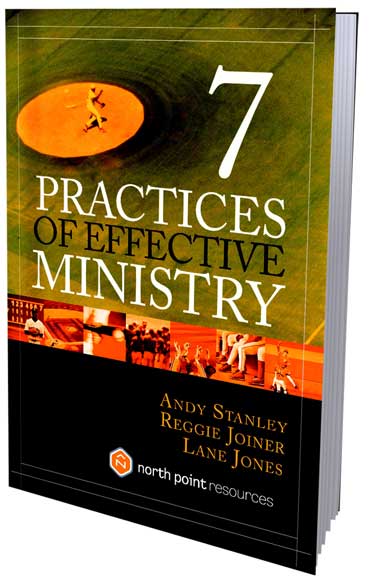
    My Thursday Quote this week is by Andy Stanley from his book, Seven Practices of Effective Ministry. At Elim Gospel Church this book is required reading for all of our leaders and new pastoral staff. The ‘seven practices’ have become benchmarks for how we think about ministry. The following quote is taken from the leadership practice, “Replace Yourself”.

    “Several years ago John Maxwell introduced our staff to the concept of ‘leadership lids.’ A lid is anything that keeps a leader from growing. Maxwell explained that there are certain aspects of your personality that can prevent you from achieving your full potential; therefore, it is important for leaders to identify their lids and do whatever they can to lift them. An organization will have a difficult time rising higher than the lid of its leader.

    We’ve discovered that organizations also have ‘leadership walls’ that prevent others from achieving their potential. Whereas a leadership lid can stunt your personal growth as a leader and may indirectly affect the rest of your organization, a leadership wall can directly stunt the growth of those on your team and, ultimately, create a leadership gap in your organization. Lids may stop leaders from growing up, but walls keep leaders out. They form a barrier that blocks the development of future leaders in your organization.”

    If you haven’t yet read this book, I urge you to do so and also to
    consider purchasing it through my Amazon Affiliate Store right here.

    To learn about other books I am reading or recommend, check out my Transforming Leader Store.

    Disclosure of Material Connection: Some of the links in the post above are “affiliate links.” This means if you click on the link and purchase the item, I will receive an affiliate commission. Regardless, I only recommend products or services I use personally and believe will add value to my readers. I am disclosing this in accordance with the Federal Trade Commission’s 16 CFR, Part 255: “Guides Concerning the Use of Endorsements and Testimonials in Advertising.”
     
  • Create A Simple Blog With Blogger

    Last week I posted two articles about creating a ministry blog to build momentum and create unity. Here are those two posts for your reference:

    In this post I will share the first few steps for creating your ministry blog using Google’s Blogger.

    CREATE A GOOGLE ACCOUNT

    To start, you must create (for free) or login to your Google account. You can do that by browsing to www.blogger.com. If you do not have a Google account, click on the ‘Get Started’ button on that page.

    CREATE YOUR FIRST BLOG
    After logging in for the first time you will see a button prompting you to create your first blog. After selecting that button you will then be prompted to name your blog as well as give it a web address.
    • Name Your Blog
      You can name your blog whatever you want. Obviously, the more descriptive and interesting your name, the better. For example, if you are creating a blog for church volunteers in your guest or host ministry, you might name the blog: FCC First Impressions (with FCC being the name of your church). Note: you can change the name at any time.
    • Give Your Blog a Web Address
      You will also see a place to give your blog a web address. This is the address you will eventually give to everyone to find your ministry blog. Try to make the address simple and easy to remember. For instance, using the above example you might try “fccimpressions”. Blogger will tell you if the address of your choice is available. Note: you can also change the address in the future. Additionally, you may want to choose to buy your own web domain later on. In that case, you pick your own web address and are not constrained to stick with the .blogspot.com extension at the end.

    SELECT THE SIMPLE BLOG TEMPLATE
    You will also be required to select a template for your blog. To be honest, this isn’t the place or time to finalize what template you really want. So just pick the ‘Simple’ template for now. You can adjust the look of your blog later. Note: do not select the ‘Dynamic’ template.
    CREATE A TEMPORARY POST
    The next step I recommend is to create your first post. You will DELETE this post later so the content and formatting are not very important. The reason I recommend creating a post, though, is to help you see what your blog will look like with information applied. Write out two or three paragraphs of text and click the “Publish” button. Remember, you haven’t created a blog design yet, so don’t worry if the blog doesn’t look nice yet!
    UNDERSTAND THE BLOGGER INTERFACE
    Let me take a moment to help you understand the links in your blogger interface. Refer to this image and then see my explanations after. If your blogger interface does not look like this, then you may have ti first click the link at the top right of your screen that says “Try the updated blogger interface”. Or if you are already viewing your blog, click the ‘Design’ link in the top right of your screen.
    Here is a quick run-down of each of these sections. You may click on each one to see the content associated with them.
    Overview: This will give you some basic statistics on your blog as well as some helpful links (in the Blogger Guide section) to help you be a successful blogger.

    Posts: This is where you can edit or delete past posts.

    Pages: This is an advanced feature you may want to take advantage of in the future. It allows you to have multiple ‘pages’ on your blog. As an example, check out the various pages at the top of my blog at www.transformingleader.org. They include ‘about me‘, ‘services‘, ‘reading lists‘, etc.

    Comments: If your readers comment a lot on various posts, this is where you will go to manage comment options and individual comments.

    Stats: You can find out details about how many people are viewing different posts and when in this section.

    Earnings: This is for professional bloggers and probably not something you need to worry about right now.

    Layout: This is where you will adjust what else is on your blog page besides blog posts. For example, I have several elements in the layout of www.transformingleader.org, like subscription buttons, a general greeting, a search bar, the top 5 posts of the week, etc.

    Template: This is where you will determine what your blog will look like. There are numerous template options to pick from.

    Settings: This section will allow you to make various changes and tweaks to your blog to make it most like what you want it to be like. In particular, you can add authors in this section. For example, if you would like a volunteer or another staff person to be able to post to your blog, you can add their email address here and they will be able to create their own Google account and post to your blog.

    ADJUST THE LAYOUT
    Next you should spend time on your blog’s layout. This includes the various elements on the right side of your first blog. By selecting the ‘edit’ links next to each element you can adjust or remove them. To get you started, I recommend you remove ALL of the elements preinstalled except for ‘Blog Archive’. Next, I suggest you add each of the below elements (or Gadgets) to the right bar.  To add a Gadget, simply select the ‘Add a Gadget’ link. Drag and drop each element to your desired location after you have created each one. I recommend the following order:

    • HTML/Javascript (Welcome
      This will allow you to create your own text. I recommend a short greeting explaining the purpose of your blog. As an example, read the short greeting entitled ‘Welcome to my Blog!’ here at www.transformingleader.org.
    • Follow By Email
      This is very important. It will allow your primary audience to ‘sign-up’ for email updates whenever you create a new blog post.
    • Subscription Links
      Again, very important. This will give your more tech-savvy audience options to subscribe to your blog using a blog reader on their computer or phone.
    • Search Box
      Add the search box so that readers can search through past blog entries using key words. I suggest you only check the first check box. This will keep your readers on your blog when searching.
    • Labels
      Your blog will be much more useful if you begin using labels right from the start. You can always adjust labels for each blog later. For example, you might label upcoming event posts as ‘Events’, devotional thoughts as ‘Inspirational’, and particular topics as most appropriate, like ‘Leadership’, ‘First Impression’, etc. I suggest you uncheck the ‘Show # of posts’ checkbox.
    • Blog Archives
      This section should already be present. It allows your readers to go back and find blogs by date.

    ADJUST THE TEMPLATE (DESIGN)
    Finally, you will want to tweak the design of your ministry blog. You will do this by selecting the ‘Template’ link in your left toolbar. You will see a list of various blog designs and may select different ones to see how they look to you. IMPORTANT: First focus on everything except the background image. In selecting your template you’re looking for things like, “Is the text easy to read?”; “Do I like the design?”; etc. You can CHANGE the actual background image whenever you want.
    To change the background image, simply select the ‘Customize’ button after you have find your favorite template. Next, select the ‘Background’ link and then choose the background image and color scheme of your choice. When finished, select the “Apply to Blog” button at the top right of the screen.
    BEGIN CREATING POSTS
    You will learn best by doing. Begin creating posts and text by clicking the ‘New Post’ button. Always remember to create a Title for your post and 1 or 2 Labels for your post. By experimenting, you will eventually be able to learn how to add and adjust images, format text, etc. As you grow comfortable with creating posts, you will discover advanced features and options as well. For instance, it’s very easy to embed code (like for a video) into your blog by using the HTML button. Don’t forget that you can always delete old posts. You may also create as many Drafts as you want without actually publishing them.

    FINAL COMMENTS

    There is no way that I could explain all of the details of creating and managing a blog in one post. I probably won’t follow up with many other explanations either, since this is not the primary purpose of this blog. However, I think this article will at the very least get you started. I suggest you take your time and slowly get comfortable using Blogger by experimenting and through trial and error. You will also find some great tutorials and more help in Blogger’s Getting Started Guide. Happy blogging!

  • This is church! (video)


    I stumbled across this video clip while reading my blogs last week and couldn’t help but share it with you. What a great video animation about the mission of the local church. The creators, Kelly and Niki Tshibaka own the rights to this video and have given permission for others to use it.

    Perhaps it would fit in somewhere in an upcoming Sunday morning service? Enjoy.

  • Thursday Quote: Next Generation Leader

    Today’s Thursday Quote is from the book, Next Generation Leader by Andy Stanley. I highly recommend this book to you and your leadership team. Andy Stanley does a superb job in laying down some real basic leadership principles which are critical to sustainable and effective ministry. Here’s a teaser from the book:

    “To ensure that we are leading with our feet firmly planted on the soil of what is, we must live by the seven commandments of current reality:

    1. Thou shalt not pretend.
    2. Though shalt not turn a blind eye.
    3. Thou shalt not exaggerate.
    4. Thou shalt not shoot the bearer of bad news.
    5. Thou shalt not hide behind the numbers.
    6. Thou shalt not ignore constructive criticism.
    7. Thou shalt not isolate thyself.
    Attempting to lead while turning a blind eye to reality is like treading water: It can only go on for so long, eventually you will sink. As a next generation leader, be willing to face the truth regardless of how painful it might be. And if you don’t like what you see, change it.”
     
    Disclosure of Material Connection: Some of the links in the post above are “affiliate links.” This means if you click on the link and purchase the item, I will receive an affiliate commission. Regardless, I only recommend products or services I use personally and believe will add value to my readers. I am disclosing this in accordance with the Federal Trade Commission’s 16 CFR, Part 255: “Guides Concerning the Use of Endorsements and Testimonials in Advertising.”